Review Automation for Busy Owners: What You Can Safely Put on Autopilot
A practical guide for small local business owners explaining which parts of review generation and response are safe to automate, which should stay human, and sample automation rules you can apply right away.
Why automation matters for busy owners
Local business owners wear many hats; collecting and responding to online reviews often slips down the priority list. Automating routine parts of reputation work saves time, keeps review flows consistent, and helps your business appear more active in local search. Customers of reputation platforms frequently point to simple setup and steady results — several note a marked increase in reviews after letting an automated system handle requests and follow-ups. The goal of automation is to reduce busywork while preserving authentic, timely human engagement where it matters most.
What you can safely automate: requests and reminders
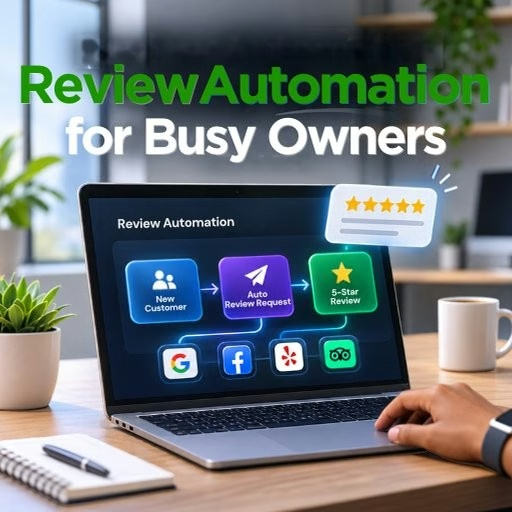
Automated review requests (via email or SMS) and gentle reminders are among the safest automations. Set up a short, clear message that is sent after a completed job or purchase with a direct link to leave feedback. Follow-up reminders can increase response rates when used sparingly — one prompt after a few days and a final reminder a week later is a common pattern. Keep messages concise, identify your business, and always give an easy opt-out. These automations handle volume without replacing real customer interactions.
Automating reply drafts and when to post them
Using AI to generate reply drafts can speed responses while maintaining a consistent voice. A safe workflow is to have the system draft responses for common positive reviews and queue them for quick review by a team member, or to auto-post short acknowledgements for 5-star feedback if you maintain strict templates. For more nuanced replies, treat AI output as a first draft to be edited. This balances speed and personalization and prevents tone or fact errors from being published.
What should stay human: negative reviews and complex situations
Personal attention matters most for complaints, refund requests, or detailed service issues. Negative reviews, mentions of safety problems, or requests involving customer data should trigger a human response. Humans are better at expressing empathy, offering tailored remedies, and making judgment calls about escalation. Even when automation flags an issue or drafts a response, a staff member should review and, where appropriate, follow up by phone or a private channel to resolve the matter.
Practical, safe automation rules you can implement today
Here are concrete rules small local businesses can use: 1) Send the first review request 24–48 hours after service completion, with a single follow-up 3–7 days later; 2) Only auto-post acknowledgements for 5-star reviews and route anything rated 4 or below for human review; 3) Keep request messages under 160 characters for SMS and 2–3 short sentences for email; 4) Use segmentation so customers who already indicated dissatisfaction are not auto-requested; 5) Create an escalation rule that notifies an owner or manager immediately if a review contains certain keywords (refund, injury, lawsuit, urgent). These rules protect your reputation while keeping volume manageable.
Measuring success and adjusting automation
Track simple metrics: number of review requests sent, response rate, average rating, and time-to-first-reply. If requests produce low return or many low ratings, adjust message timing, tweak the ask, or personalize outreach to certain customer segments. Customers who have shared feedback about platforms often praise straightforward dashboards and quick setup—use those reporting tools to experiment with one change at a time so you can see what moves the needle.
How a reputation platform can support safe automation
A reputation management platform that offers text and email requests, AI-powered reply drafts, and social publishing from a single dashboard makes it practical to follow the safe automation rules above. Look for features that let you set templates, review AI drafts before posting, segment contacts, and create escalation alerts for negative or sensitive reviews. Combining automated collection with manual oversight for tricky cases gives busy owners the repeatable lift they need without sacrificing the personal touch that protects a local business’s brand.
Article by
Alabama
RevuHQ is an affordable reputation management platform built for local businesses and agencies. Automate review collection via text and email, respond to Google reviews with AI-powered replies, and publish to social, all from one dashboard. A smarter, leaner alternative to Birdeye and Podium at a fraction of the cost. RevuHQ helps businesses rank higher in local search, build trust with AIpowered discovery tools, and turn happy customers into visible, searchable proof. Visit therevuhq(dot)com to get started.